Multi-texturing
Some notes on multi-texturing and texture blending in 3D Studio Max.
Part 1: “How do I texture large areas of terrain without visible tiling”
The simplest method is to take two tileable textures and blend them together according to a third. Here we’ll be using a grass texture and a dirt texture, but obviously you can use any combination you’d like. Ideally your third texture, the blendmap, will be minimally tiled and in this example it won’t be tiled at all – the trick here is to make it use a different UV channel to textures 1 and 2. Google shall provide UV mapping tutorials if needed!
Effectively in the below image: top left + (bottom left * top right) = bottom right. Magically all the ugly tiling disappears!
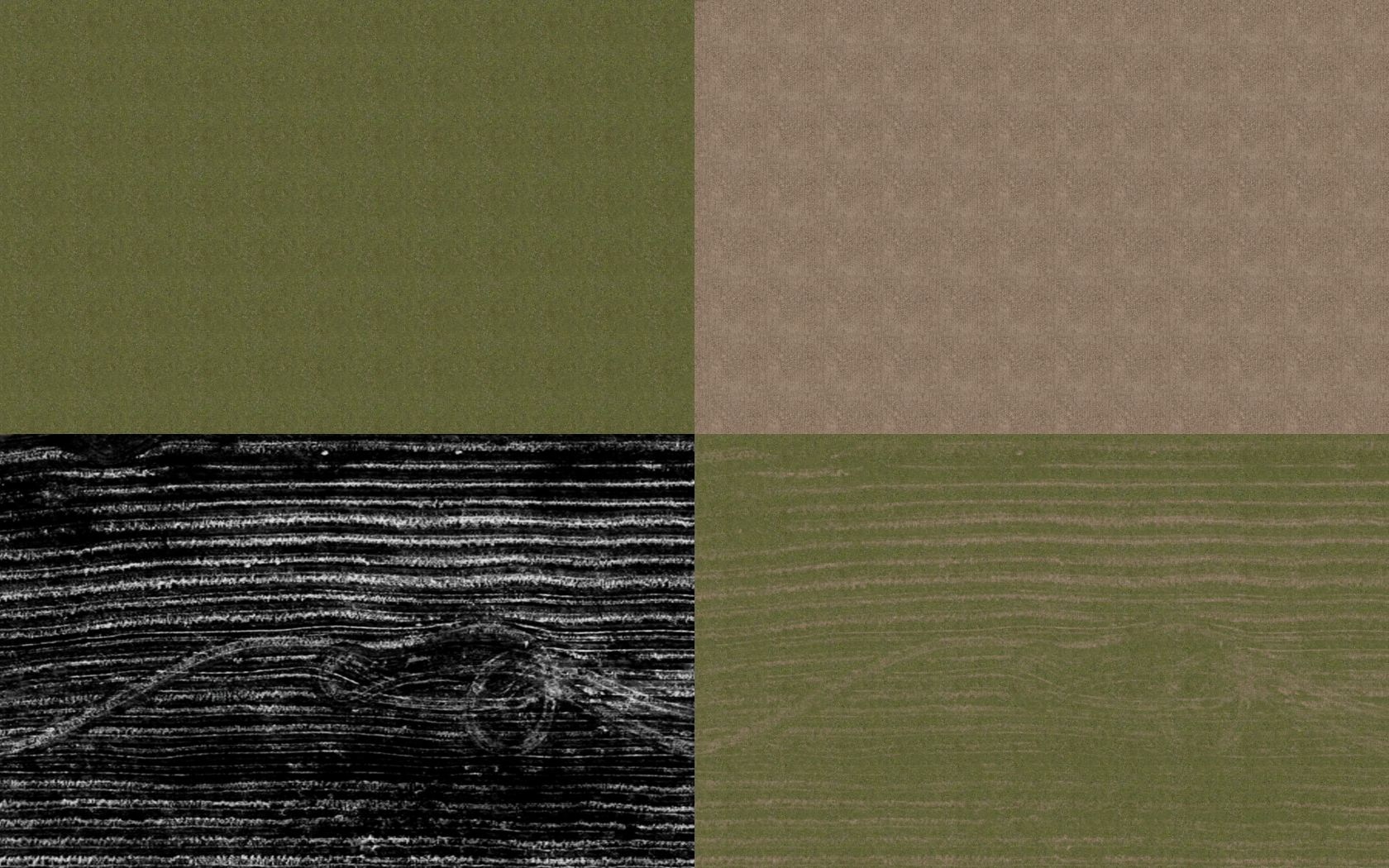
The grass and dirt textures are 512×512 and are heavily tiled on uv channel 1 while the blendmap is 2048×1024, and through blending them all together we end up with an absolutely massive effective resolution and a level of detail we’d never be able to approach using a standard single texture. Which is pretty cool.
The material setup in Max (at least for testing purposes) is as follows:
1. Create a “Blend” material in any empty material slot and apply it to your object
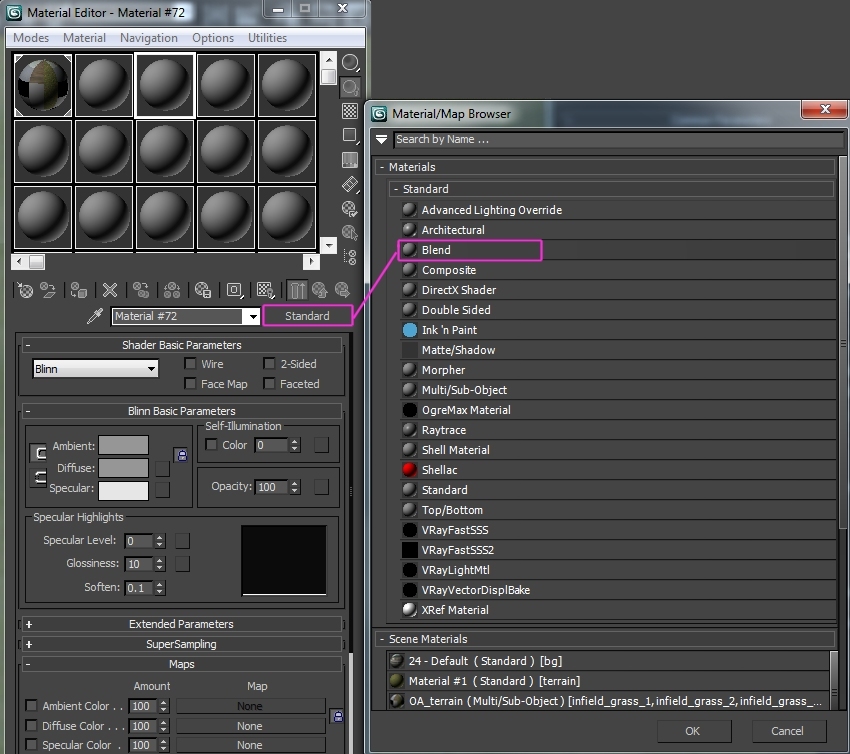
2. Load your two ground textures in the material 1 & 2 slots as you would a normal Max material
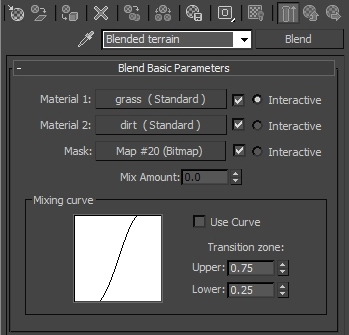
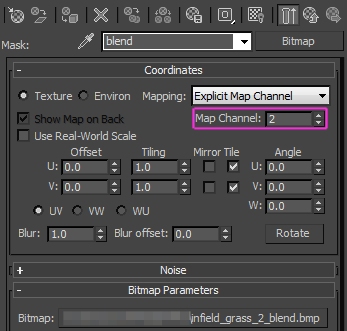
3. Load your blendmap and make sure you change its UV channel to 2 (or whatever channel you end up using). The blendmap should be greyscale and created such that black = 100% material 1 (grass) and white = 100% material 2 (dirt), shades of grey are therefore blends of varying intensities between the two materials.
4. Render and see what happens!
As outlined earlier, the main “trick” if there is one is to have the blendmap mapped on a different UV channel to your tiled textures which in turn hides the tiling!
Part 2: “How do I create high quality transitions between materials”.
Coming soonish, maybe. Greyscale opacity maps, basically. 100% black = transparent, 100% white = opaque. Shades of grey = softened blends.